

Download Ableton – Free, Secure Audio Sequencer for Live and Studio
Overview
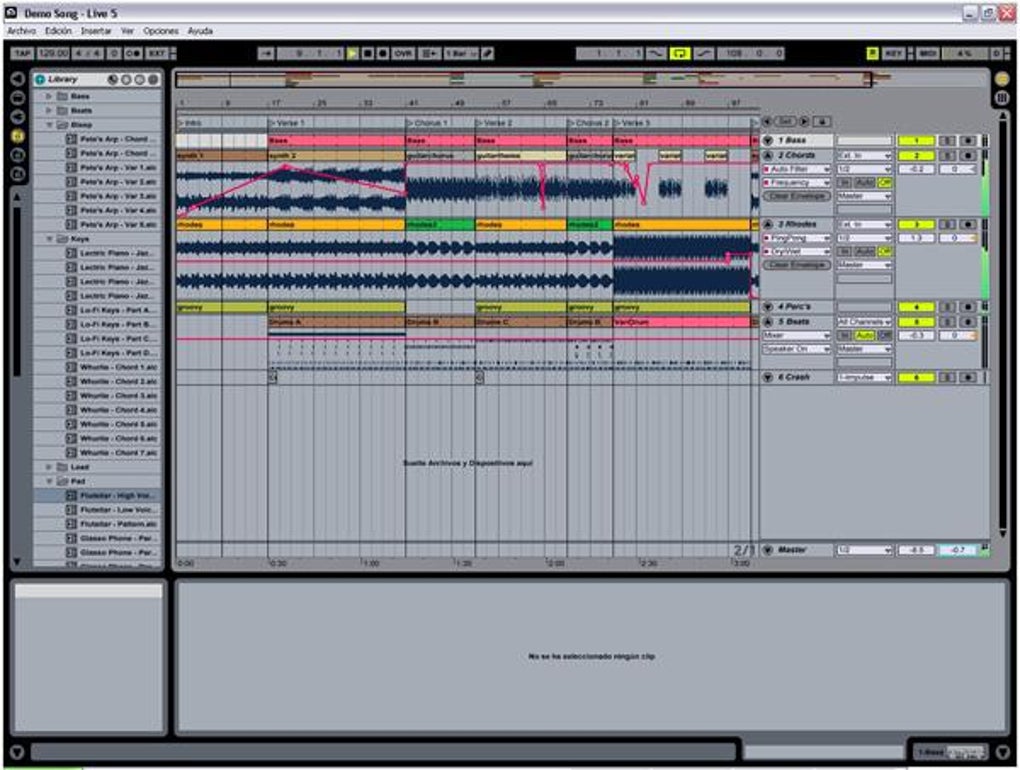
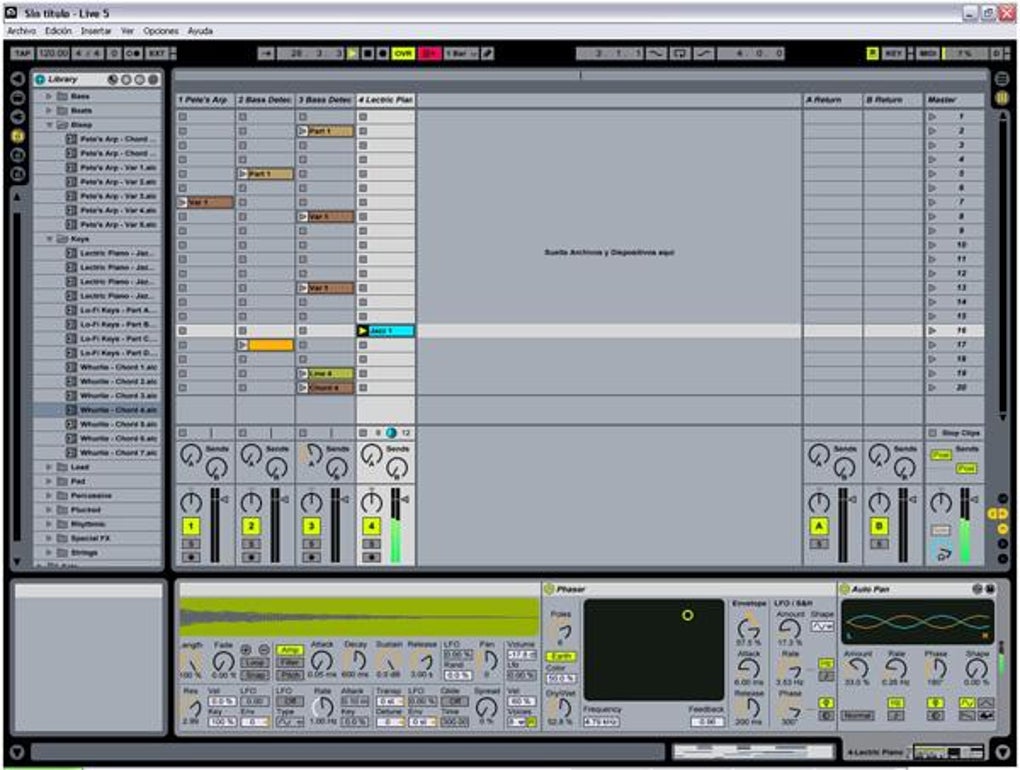
Ableton Live has earned a reputation as one of the most versatile audio production tools on the market, catering to both electronic producers and traditional musicians. This powerful sequencer and sampler combo lets you move fluidly between studio composition and on‑stage performance without missing a beat. At its core, Ableton Live provides two distinct workspaces: the Arrangement View, which mirrors a classic timeline‑based DAW, and the Session View, a grid‑based environment that encourages spontaneous looping, improvisation, and real‑time manipulation of clips.
Whether you’re laying down a drum‑heavy EDM track, arranging a full‑band rock song, or designing soundscapes for film, Ableton offers a flexible workflow that adapts to your creative process.
One of the standout features is Ableton’s real‑time warping engine, allowing you to stretch or compress audio without altering pitch—perfect for remixing, DJ‑style mashups, or aligning live recordings to a fixed tempo. The software also includes a built‑in video import tool, enabling you to sync audio cues to visual media directly within the same project.
While the learning curve can feel steep for newcomers, Ableton’s extensive library of tutorials, official documentation, and a thriving community of users make it approachable.
In addition to its core sequencing capabilities, Ableton Live bundles a massive library of instruments, effects, and sample packs. From analog‑modeled synths to granular samplers, the suite equips you with everything needed to sculpt a professional‑grade mix.
Its interface is clean, customizable, and supports keyboard shortcuts that can be mapped to any function, streamlining the production workflow. Whether you’re a bedroom producer or a touring artist, Ableton Live delivers a reliable, high‑performance environment that scales with your ambitions.
Key Features
- Dual Workspace (Arrangement & Session): Switch seamlessly between linear arrangement and clip‑based improvisation.
- Real‑Time Warping & Stretching: Flexible tempo manipulation without pitch loss, ideal for remixing.
- Extensive Instrument Racks: Includes Analog, Operator, Wavetable, and a growing collection of third‑party VSTs.
- Audio‑to‑MIDI Conversion: Turn any recorded audio into editable MIDI notes for rapid idea development.
- Integrated Video Sync: Import video files and align audio cues directly in the timeline.
- Advanced Automation: Record, edit, and curve automation within clips for dynamic performances.
- Customizable Keyboard Mapping: Assign any key to effects, launch clips, or control parameters on the fly.
- Built‑In Glue Compressor & Studio Effects: High‑quality processing tools for mastering‑ready mixes.
- Robust Browser: Quickly locate samples, presets, and instruments from a searchable library.
- Comprehensive Tutorial Library: Official videos, community forums, and step‑by‑step guides.
Installation & Usage Guide
Getting started with Ableton Live is straightforward, but following best practices ensures optimal performance. Begin by visiting the official Ableton website and clicking the “Download Free Trial” button. After entering your email, you’ll receive a secure download link for the installer compatible with Windows or macOS. Run the installer, accept the license agreement, and choose the default installation path unless you have a specific drive layout. The process typically takes 5‑10 minutes depending on your system’s speed.
Once installed, launch Ableton Live and activate your license using the serial number sent to your email. The first launch will present a welcome screen where you can choose your default folder for projects and set your audio buffer size. For low‑latency live performance, set the buffer to 128 samples or lower; for mixing, a higher buffer (512‑1024) reduces CPU load.
The core workflow begins with creating a new Set (project). In Arrangement View, drag audio clips onto the timeline, arrange tracks, and apply automation. In Session View, launch clips in a grid, experiment with different combinations, and record your performance into a new arrangement. Ableton’s “Capture MIDI” feature records your improvisations even if you didn’t press record, allowing you to retrieve spontaneous ideas later.
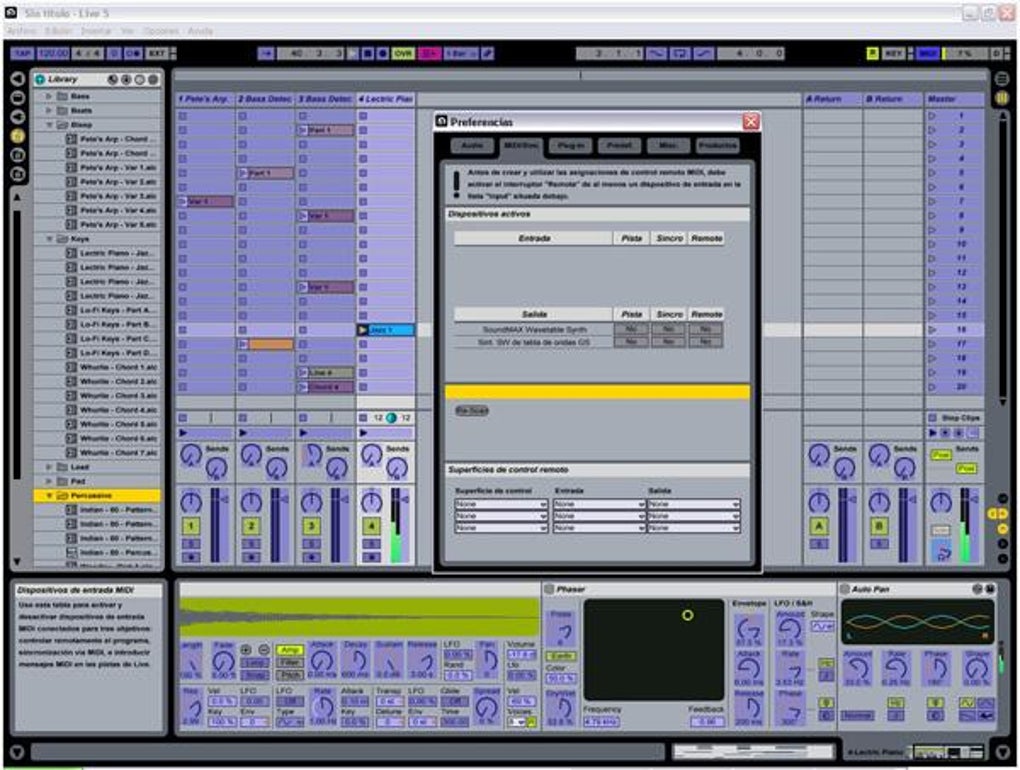
To expand your sonic palette, click the “Browse” button to access the built‑in library. Drag instruments or effects onto a track, then fine‑tune parameters using the device view. Keyboard shortcuts can be customized under Preferences → Link/MIDI, where you can map any key to a specific function—an essential step for live DJs who need hands‑free control.
Finally, export your finished track by selecting File → Export Audio/Video. Choose the desired file format (WAV, AIFF, MP3) and bitrate, then click Export. Ableton also supports direct export to popular streaming platforms via third‑party plugins, streamlining the distribution process.
Compatibility & System Requirements
Ableton Live is designed to run on the latest desktop operating systems, providing native performance on both Windows and macOS. Below are the minimum and recommended specifications:
- Windows: Windows 10 (64‑bit) or later; Intel Core i5 processor (minimum); 8 GB RAM (minimum), 16 GB recommended; 3 GB free disk space for installation plus additional space for sample libraries.
- macOS: macOS 11 (Big Sur) or later; Apple Silicon (M1/M2) or Intel Core i5 (minimum); 8 GB RAM (minimum), 16 GB recommended; 3 GB free disk space.
- Audio Interface: ASIO drivers (Windows) or Core Audio (macOS) for low‑latency performance.
- GPU: No dedicated GPU required, but a modern integrated graphics chip (Intel UHD 620 or better) ensures smooth UI rendering.
- Additional Software: Optional VST2/VST3 or AU plug‑ins can be installed for expanded functionality.
Ableton Live also offers a beta version for Linux enthusiasts, though official support is limited to Windows and macOS. For optimal performance during live gigs, consider using an external SSD for sample libraries and a reliable USB‑C or Thunderbolt audio interface.
Pros and Cons
Pros
- Dual Workspace (Arrangement & Session) offers unmatched flexibility for studio and stage.
- Real‑time warping eliminates tempo constraints and simplifies remixing.
- Extensive built‑in library reduces the need for third‑party samples.
- Robust automation and clip‑based workflow accelerate creative experimentation.
- Active community and comprehensive tutorials shorten the learning curve.
Cons
- Higher price point compared to entry‑level DAWs.
- Steeper learning curve for users unfamiliar with clip‑based sequencing.
- Resource‑intensive; older computers may experience latency issues.
- Limited native support for Linux (requires workarounds).
- Some advanced features (e.g., Max for Live) require additional purchase.
Frequently Asked Questions
Is there a free version of Ableton Live?
Ableton offers a 90‑day free trial of the full Live Suite, which includes all features and plug‑ins. After the trial, you must purchase a license to continue using the software.
Can I use Ableton Live for video editing?
While Ableton is primarily an audio DAW, it includes a basic video import feature that lets you sync audio to video clips. For full‑scale video editing, a dedicated NLE (Non‑Linear Editor) is recommended.
Does Ableton support third‑party VST plugins?
Yes, Ableton Live can host VST2, VST3, and AU plug‑ins on macOS. You can scan and manage your plug‑ins via Preferences → Plug‑Ins.
What is Max for Live and do I need it?
Max for Live is an add‑on that lets you build custom instruments, effects, and visualizations within Live. It’s optional but highly valuable for users who want to create unique sound‑design tools.
How does Ableton handle audio latency during live performances?
Ableton’s low‑latency engine, combined with ASIO/Core Audio drivers and a proper buffer size setting (typically 128‑256 samples), ensures near‑instant response, essential for DJing and on‑stage looping.
Conclusion
Ableton Live stands out as a comprehensive, forward‑thinking audio production suite that bridges the gap between studio composition and live performance. Its dual‑view workflow, real‑time warping, and deep integration of instruments and effects give producers a level of creative freedom that few competitors can match. While the price and learning curve may deter absolute beginners, the wealth of official tutorials, community resources, and built‑in features justify the investment for serious musicians and DJs. If you’re looking for a secure, regularly updated tool that scales from bedroom beats to stadium‑sized sets, Ableton Live is a compelling choice. Download the free trial today and experience the seamless blend of sequencing, sampling, and performance that has made Ableton a staple in modern music production.







